
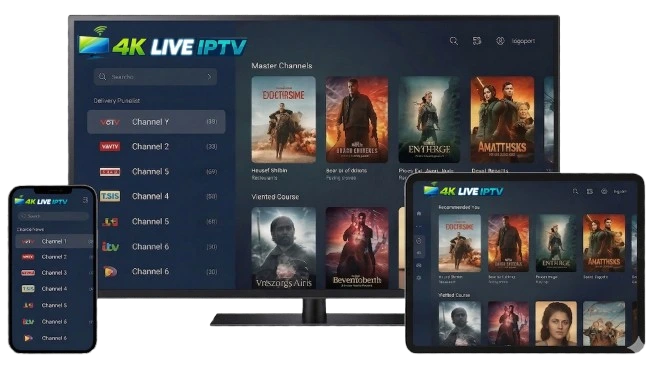
How to Set Up Your 4K Live IPTV Reddit
Simple steps to start streaming on your favorite devices.
GET STARTED IN 3 SIMPLE STEPS
DOWNLOAD APP
Install the player on your device.
ENTER LOGIN
Fill in username and password.
START WATCHING
Access thousands of channels.
Choose your device and enjoy seamless streaming with 4K Live IPTV Reddit
Smart TV
Android Box
Fire Stick
Mobile
LapTop
1. Check your TV system
First, know your Smart TV type:
Samsung (Tizen)
LG (webOS)
Android TV / Google TV
Others (may vary slightly)
2. Install an IPTV app
Go to your TV’s app store and install one of these:
Smart IPTV (SIPTV)
IPTV Smarters
SS IPTV
Smart STB
TiviMate (Android TV only)
Steps:
Open App Store / Smart Hub / Google Play
Search for the app (e.g. IPTV Smarters)
Click Install
3. Open the app
After installing:
Launch the IPTV app
Accept terms if asked
4. Add your IPTV subscription
You will need details from your IPTV provider.
Option A: M3U URL
Select Add Playlist / Load URL
Enter your M3U link
Save / Load
Option B: Xtream Codes (common)
Select Login with Xtream Codes API
Enter:
Username
Password
Server URL
Click Login
5. Wait for channels to load
The app will download:
Live TV
Movies
Series
6. Start watching
Choose a category (Live TV, Movies…)
Select a channel and play ▶️
7. (Optional) Activate app (if required)
Some apps (like Smart IPTV):
Show a MAC address
You must upload your playlist on their website and pay a small one-time fee
1. Install an IPTV App
- Turn on your Android box
- Open Google Play Store
- Search for one of these apps (recommended):
- IPTV Smarters Pro (most popular)
- TiviMate
- XCIPTV Player
👉 Install IPTV Smarters Pro (best for beginners)
2. Open the App
- Open IPTV Smarters Pro
- Accept the terms (if asked)
- Click “Add User” or “Login”
3. Add Your IPTV Subscription
Option A: Login with Xtream Codes (Recommended)
Choose: “Login with Xtream Codes API”
Enter:
- Any name (e.g., My IPTV)
- Username (given by provider)
- Password (given by provider)
- Server URL (example:
http://example.com:8080)
👉 Then click “Add User”
Option B: Load M3U Playlist
Choose: “Load Your Playlist or File/URL”
Enter:
- Name (anything)
- M3U URL (given by provider)
👉 Click “Add User”
4. Wait for Loading
- The app will download channels, movies, and series
- This may take a few seconds to a minute
5. Start Watching
After loading, you’ll see categories like:
- 📺 Live TV
- 🎬 Movies
- 📁 Series
👉 Click any category → choose a channel → enjoy
1. Prepare Your Fire Stick
Turn on your Fire Stick
- Plug it into your TV
- Connect to Wi-Fi
- Go to the Home screen
Enable apps from unknown sources
You need this to install IPTV apps.
- Go to Settings (⚙️)
- Select My Fire TV
- Click Developer Options
- Turn ON:
- ✅ ADB Debugging
- ✅ Apps from Unknown Sources
👉 If you don’t see Developer Options:
- Go to About
- Click your Fire Stick name 7 times
- It will unlock Developer Options
2. Install Downloader App
This app lets you install IPTV apps.
Steps:
- Go to Find (🔍) → Search
- Type: Downloader
- Install the app by AFTVnews
- Open Downloader
3. Install IPTV Player (Example: IPTV Smarters)
Steps:
- Open Downloader
In the URL box, enter:
https://www.iptvsmarters.com/smarters.apk- Click Go
- Wait for download
- Click Install
- After installation:
- Click Done
- (Optional) Delete APK file to save space
4. Add Your IPTV Subscription
Now you need your provider’s details.
You will receive one of these from Us.
- Xtream Codes (most common)
- M3U URL
- Username / Password / Server URL
Option A: Login with Xtream Codes (Recommended)
- Open IPTV Smarters
- Select Login with Xtream Codes API
- Enter:
- Any Name (example: My IPTV)
- Username
- Password
- Server URL
- Click Add User
Option B: Login with M3U URL
- Choose Load Your Playlist or File/URL
- Select M3U URL
- Enter:
- Playlist Name
- M3U Link
- Click Add User
4. Start Watching
After login:
- Go to:
- 📡 Live TV
- 🎬 Movies
- 📺 Series
- Wait a few seconds for channels to load
1. Download an IPTV App
First, the user needs an IPTV player app (this is required).
✅ Recommended apps:
- Android: IPTV Smarters Pro, TiviMate, XCIPTV
- iPhone (iOS): IPTV Smarters, GSE Smart IPTV
📥 How to install:
- Open Google Play Store (Android) or App Store (iPhone)
- Search for: “IPTV Smarters Pro”
- Tap Install / Get
- Wait until installation is finished
2. Open the App
- Launch the IPTV app you installed
- Accept Terms & Conditions (if asked)
3. Choose Login Method
Most IPTV providers give one of these:
Option A: Xtream Codes (MOST COMMON ✅)
You will receive:
- Username
- Password
- Server URL
👉 Steps:
- Click “Login with Xtream Codes API”
- Fill in:
- Username
- Password
- Server URL (Portal URL)
- Click Login / Add User
Option B: M3U Link
You will receive:
- A long M3U URL
👉 Steps:
- Click “Load Your Playlist or File / M3U URL”
- Enter:
- Playlist Name (any name)
- M3U URL
- Click Add / Login
4. Wait for Channels to Load
- The app will download:
- Live TV channels
- Movies (VOD)
- Series
- This may take a few seconds
5. Start Watching
- Click Live TV
- Choose a channel
- Tap to play ▶️
1. What you need first
Before starting, make sure you have:
- ✔️ IPTV subscription (from your provider)
- ✔️ One of these:
- M3U playlist link or
- Xtream Codes (Username, Password, Server URL)
METHOD 1
Using VLC Media Player (Simple & Free)
Step 1: Download VLC
- Go to: https://www.videolan.org/vlc/
- Download and install VLC for your laptop
Step 2: Open VLC
- Launch VLC Media Player
Step 3: Add IPTV Playlist
- Click Media
- Click Open Network Stream
- Paste your M3U URL from your IPTV provider
- Click Play
Step 4: View Channels
- Go to:
- View → Playlist
- You will see all channels listed
✔️ Click any channel to start watching
METHOD 2
Using MyIPTV Player (Better Interface – Windows)
Step 1: Install App
- Open Microsoft Store
- Search: MyIPTV Player
- Install it
Step 2: Add Playlist
- Open the app
- Go to Settings
- Click Add new playlist and EPG source
- Enter:
- Name: anything (e.g. “My IPTV”)
- Paste your M3U URL
- Click Add
Step 3: Load Channels
- Go to Channels
- Select your playlist
- Wait for it to load
Step 4: Watch
- Click any channel → Enjoy 📺
METHOD 3
Using IPTV Smarters (Best for Xtream Codes)
Step 1: Download IPTV Smarters
- Go to: https://www.iptvsmarters.com/
- Download version for Windows or Mac
Step 2: Install & Open
- Install and launch the app
Step 3: Login
Choose Login with Xtream Codes API
Enter:
- Username
- Password
- Server URL
Then click Add User
Step 4: Load Content
- App will load:
- Live TV
- Movies
- Series
Step 5: Start Watching
- Click Live TV
- Choose a channel
Start Your Free Trial Today.
Pay with a credit card, PayPal, Sofort, Google Pay, Amazon Pay & crypto.
Started Pack
- Live TV Channels
- VOD (Movies & Series)
- Sports & PPV Access
- Streaming Quality
- Anti-Buffer Stability
- Multi-Device Compatibility
- Multi-Connection Support
- EPG TV Guide
- Catch-up & Replay
- Customer Support
Premium Pack
- Live TV Channels
- VOD (Movies & Series)
- Sports & PPV Access
- Streaming Quality
- Anti-Buffer Stability
- Multi-Device Compatibility
- Multi-Connection Support
- EPG TV Guide
- Catch-up & Replay
- Customer Support
Enterprise Pack
- Live TV Channels
- VOD (Movies & Series)
- Sports & PPV Access
- Streaming Quality
- Anti-Buffer Stability
- Multi-Device Compatibility
- Multi-Connection Support
- EPG TV Guide
- Catch-up & Replay
- Customer Support
Need Help? Contact us on WhatsApp
Need help or emailer are contact us on WhatsApp.
Contact on WhatsApp